Claims tab: Archived
Archived removes claims from primary tabs—restore a row when you need the packet again for appeals, HSA documentation, or duplicate checks.
Lifecycle tabs group claims for Archived. They describe whether BenAsk expects ongoing work from you, not the final payment decision from insurance.
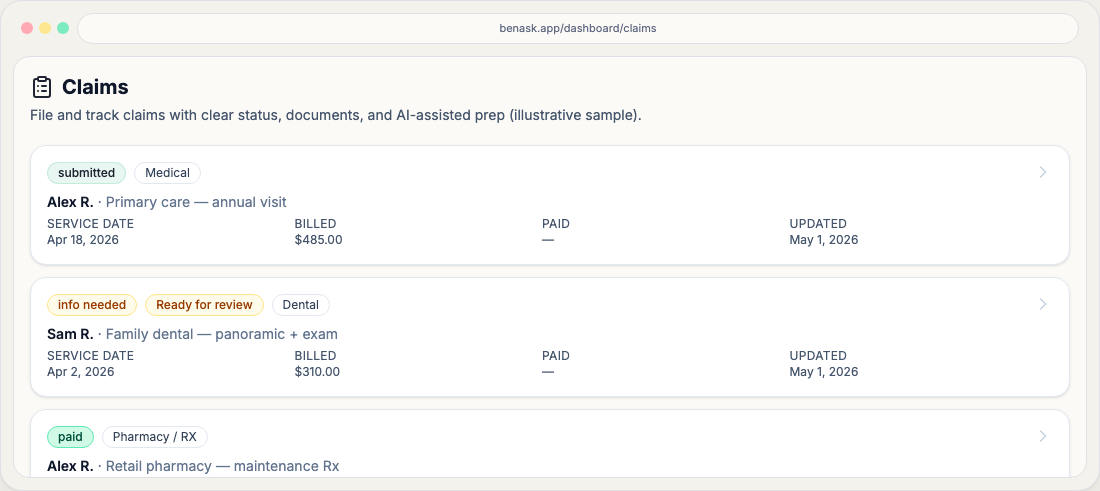
See how lifecycle fits the overall path in Claims journey—workflow chips describe where you are on a single claim; lifecycle buckets help you filter your list.
How lifecycle relates to workflow
Workflow status is the fine-grained step (for example, submitted or info needed). Lifecycle is the broader bucket used for filters and tabs—for example, Needs your input often aligns with workflow states that require documents or answers.
Practical tips
- Use lifecycle tabs to focus on open work versus historical claims.
- Archive older claims when you no longer need them in your default views.
Archiving vs deleting
Archived rows leave default navigation but remain searchable for compliance—prefer this over scattering PDFs outside BenAsk.
- Restore before secondary dental or medical filings that reference the same date of service.
FAQ
- Why is my claim “open” but workflow says submitted?
Lifecycle and workflow answer different questions. Submitted claims can remain open until you close them or record a final carrier outcome.