AI benefits chat: what it can and cannot do
Chat stays locked to your plans. Dental questions use booklet coverage search, never medical TiC; monthly dollar allowance still applies.
Short answer: Chat answers questions using the benefits context you loaded. It will not invent coverage from a plan you are not enrolled in.
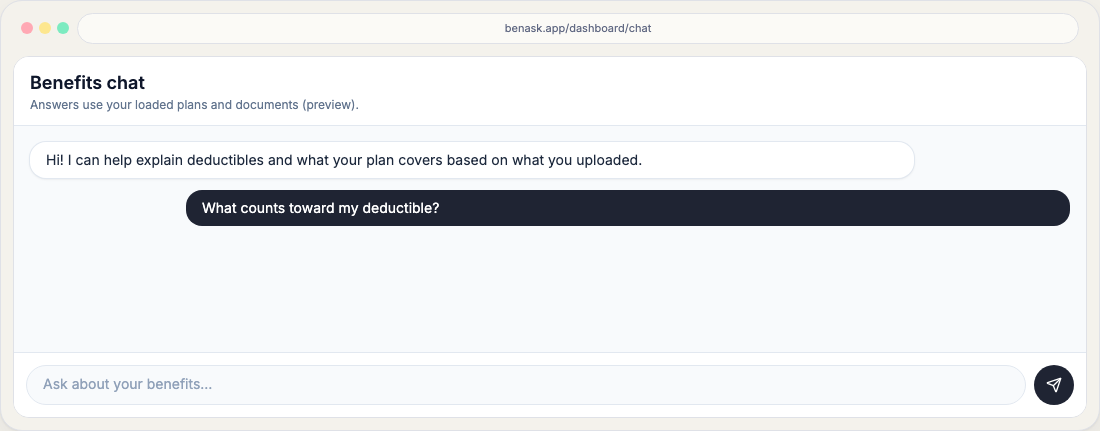
Safety and context locking
- Responses prioritize documents and enrollment tied to your workspace.
- If information is missing, the assistant should say so instead of guessing. For a **crown, cleaning, braces, or other CDT** question it looks up booklet coverage (class %, frequency, annual max) on your selected dental plan. It will not quote medical Transparency-in-Coverage dollars for those codes. If no booklet is on file, Chat asks you to open **Care costs** and use **Find booklet** (carrier site, upload, existing PDF, or type highlights).
- When you chat about a document, BenAsk uses analysis notes written for the assistant. The Documents hub **summary** you open from a row is the member-facing overview—not those chat-only notes.
Medical advice
Open chat
Signed-in users can open Chat from the dashboard to continue a conversation with full context. The message list scrolls; the compose box stays on screen. On a phone, context chips, attach options, and quick actions sit in Context & attachments, which starts collapsed so you can type without scrolling. Touching or scrolling the conversation tucks the header away and leaves a short message field; tap that field to bring back add-file and attachments. Each BenAsk reply has copy and share icons so you can copy the text or send that reply through your phone’s share sheet.
Include documents
Use Include in context to pin uploaded files to the conversation. You can include up to 4 files. If a bill and EOB are linked as the same visit or claim, adding one also includes the other when there is room under that cap. Included files show as In this chat chips; linked pairs are marked Linked. On a wide screen those chips and the file picker sit in the Chat for column on the right, so the compose box stays clear for typing and attachments.
Draft a billing letter (assist only)
From Inbox or a linked bill, Draft message to provider or Draft message to your plan opens Chat with a letter prompt already in the composer and the document pinned. You copy and send it yourself. BenAsk does not email, fax, or mail the letter, and Chat does not save a formal billing-letter record on the claim.
Monthly AI chat allowance
Chat is not unlimited and is not a daily message cap. Each account has a monthly dollar allowance (chat plus document AI share a compute envelope). Pricing shows an estimated number of chats from average cost per send. Under the compose box, Chat shows about how many chats are left this period and the date they refresh. When the allowance is used, the composer shows 0 chats left, that this month’s AI chat allowance is used, and links to View plans; send is paused until the period resets or you upgrade. Off-topic canned replies (for example coding requests) do not use the allowance. Free includes a modest subsidy and never needs a card. Platinum includes a 30-day complimentary month (one per account, no card); coupons can add more months. Paid Platinum is $14/month via Stripe Checkout from Plan & billing. Platinum Plus is available through sales.
FAQ
- Does chat store my messages?
See the Privacy Policy for retention and AI disclosures.
- What if I mention a life event like birth or marriage?
The assistant may surface enrollment timing reminders; confirm deadlines with your HR benefits team.
- Is there a daily chat limit?
No. The hard stop is monthly compute cost for the account, not messages per day. Chat shows estimated remaining chats and the refresh date; those counts are averages, not a quota.
- What happens when my chat allowance is used?
The composer shows about how many estimated chats are left this period and the date they refresh. When none remain, it explains that this month’s AI chat allowance is used and links to Pricing. You can send again after the monthly reset, after starting a complimentary Platinum month from Plan & billing if you are eligible, after redeeming a coupon, or after a paid upgrade.
- Does Draft message send a letter for me?
No. It only seeds Chat so you can copy a draft. You remain the sender. Inbox links currently open the letter with the bill document; pin the EOB yourself if you need both.
- Can Chat tell me what a crown or cleaning costs?
It can quote coverage from your selected dental booklet (class %, how often, annual max). It will not invent a typical dentist dollar amount or reuse medical TiC rates for CDT codes. If no booklet is on file, it points you to Care costs → Find booklet.